PERSONAL LEARNING PRODUCT
Fieldwork
Five questions before the next site walk.
Working personal Mac applicationEXTRACT FROM THE WORKING APP
Read the cabinet. Explain the component.
Try one of the app’s original visual questions, then use its explanation to make a fieldbook note.
Open the supporting reference
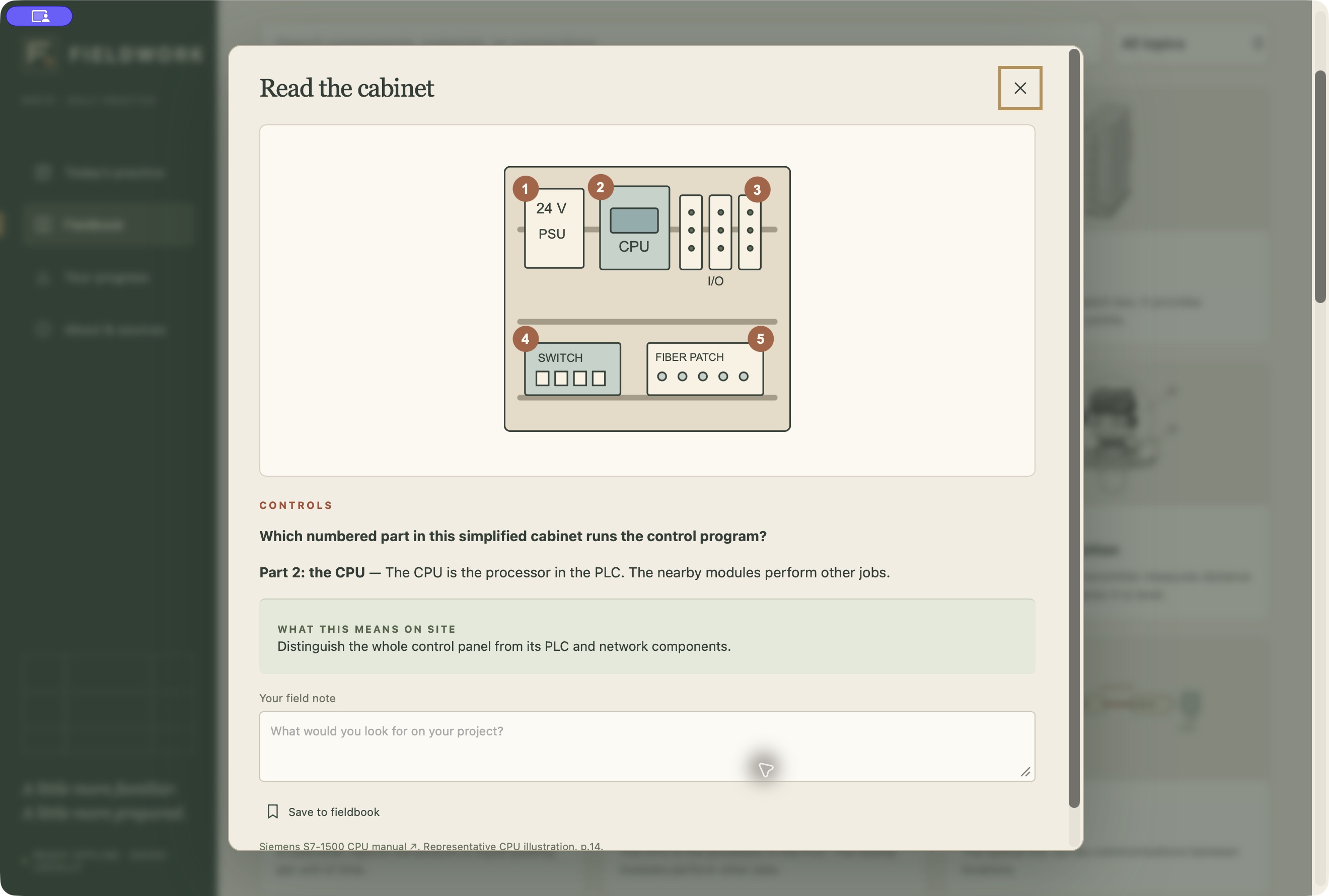
Part 1: control power supply. Part 2: PLC CPU. Part 3: I/O modules. Part 4: network switch. Part 5: fiber patch panel.
YOUR TURN / ABOUT ONE MINUTE
Stays in this page until you leave or reload.
Original Fieldwork question, explanation, field tip and cabinet illustration. This public excerpt recreates the question-to-fieldbook flow; it is not the complete Mac app.
HOW THE LEARNING WORKS
- 01Recognize the cabinet
- 02Read the explanation
- 03Notice it on site
- 04Save a personal note
Visual summary of the design; the material below shows the work itself.
ARTIFACT 01
Recognize, explain, retain
The cabinet illustration leads into a component explanation, a field observation and a personal note.
ARTIFACT 02
Reference at the point of need
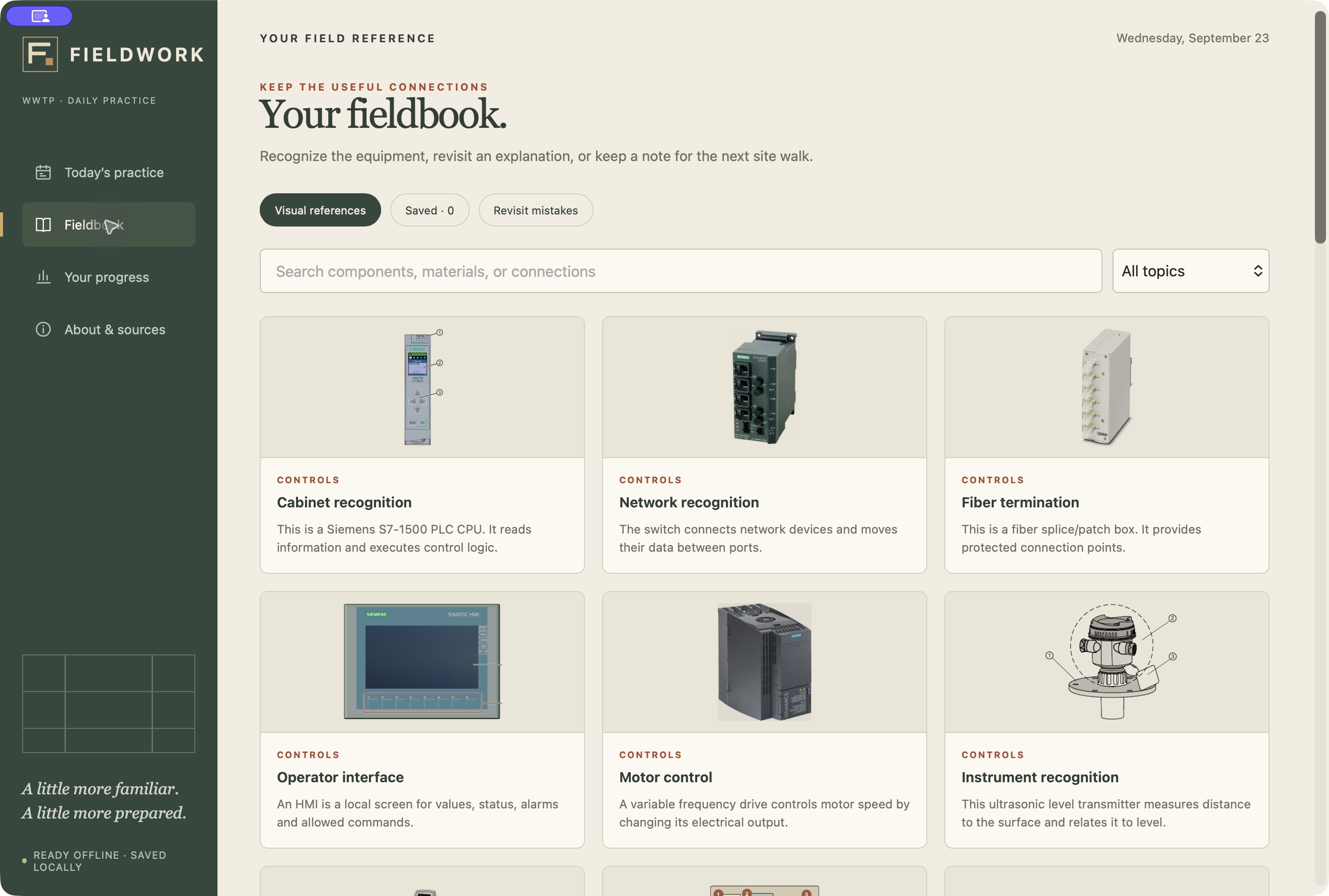
A searchable visual fieldbook keeps equipment explanations close to practice.
The starting point
I built Fieldwork because I wanted a practical way to learn the systems and materials I encountered on wastewater projects. A small daily round made that learning easier to return to.
Who it serves
My own technical learning; designed for someone building familiarity with wastewater projects.
My contribution
Learning concept, content direction, question design and review, visual direction, and iterative testing. AI tools assisted implementation.
The design decision
A five-question round mixes visual recognition with process, controls, materials, and coordination decisions. Feedback explains the answer, and missed questions return later. The searchable fieldbook keeps explanations and personal notes close to the practice.
What this demonstrates
The working app includes a curated 100-question bank, 32 visual questions, local progress, and an offline fieldbook. The screenshots show my own practice history; they are not workforce learning results.