INTERACTIVE TECHNICAL TRAINING
LOOP
Make a decision. Watch the process. Explain what changed.
Working browser prototype · Student and instructor workspacesI built LOOP to make process-automation concepts visible and teachable. A learner can change a simulated process, work through a guided problem and explain a decision. An instructor can review that practice and respond with focused feedback.
No account or installation needed. Practice stays in your browser; it is not sent to me. The guided demo uses clearly labeled fictional learners and sample submissions.
A FIVE-MINUTE FIRST LOOK
- 01Open the instructor demo
- 02Review a learner’s reasoning
- 03Try the process lab
- 04Connect practice to feedback
Use the walkthrough controls in the demo to move through the example. You can also explore freely.
INSTRUCTOR VIEW
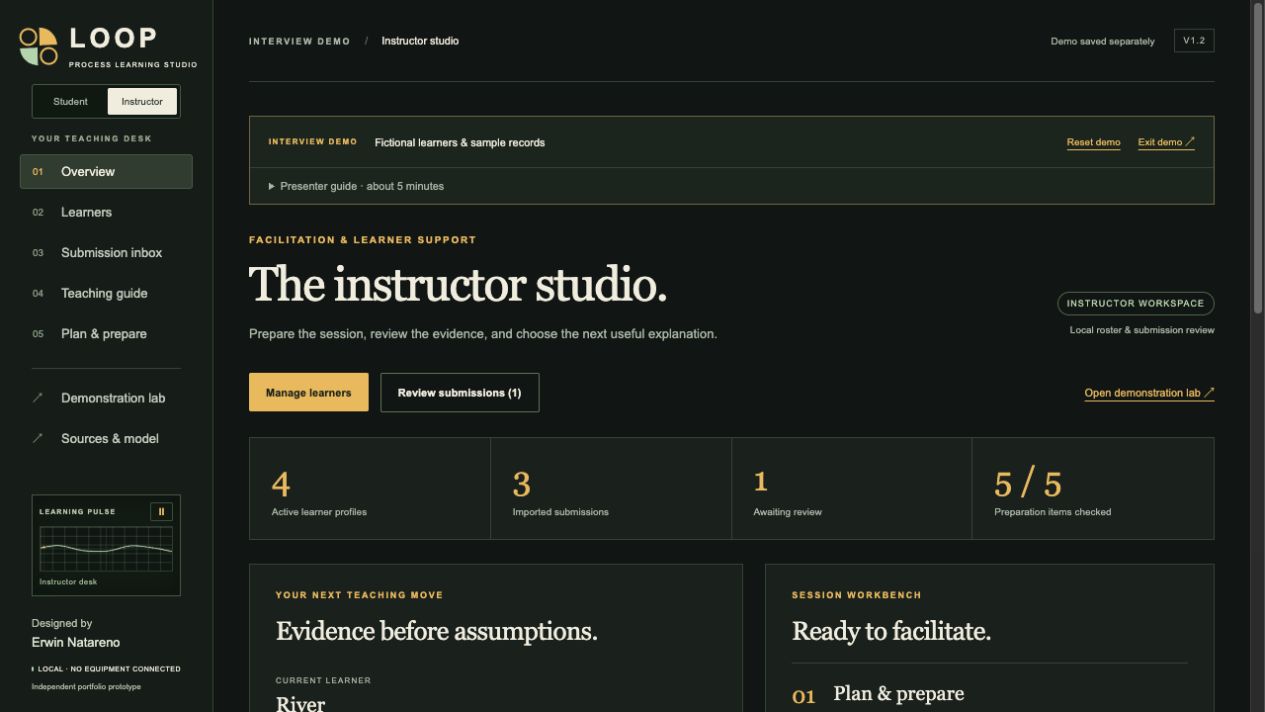
See where the explanation breaks down.
The example roster includes different learning needs. Inspect a submission, review a sample revision and save a coaching note. The records demonstrate the workflow; they are not pilot-study results.
GUIDED PRACTICE
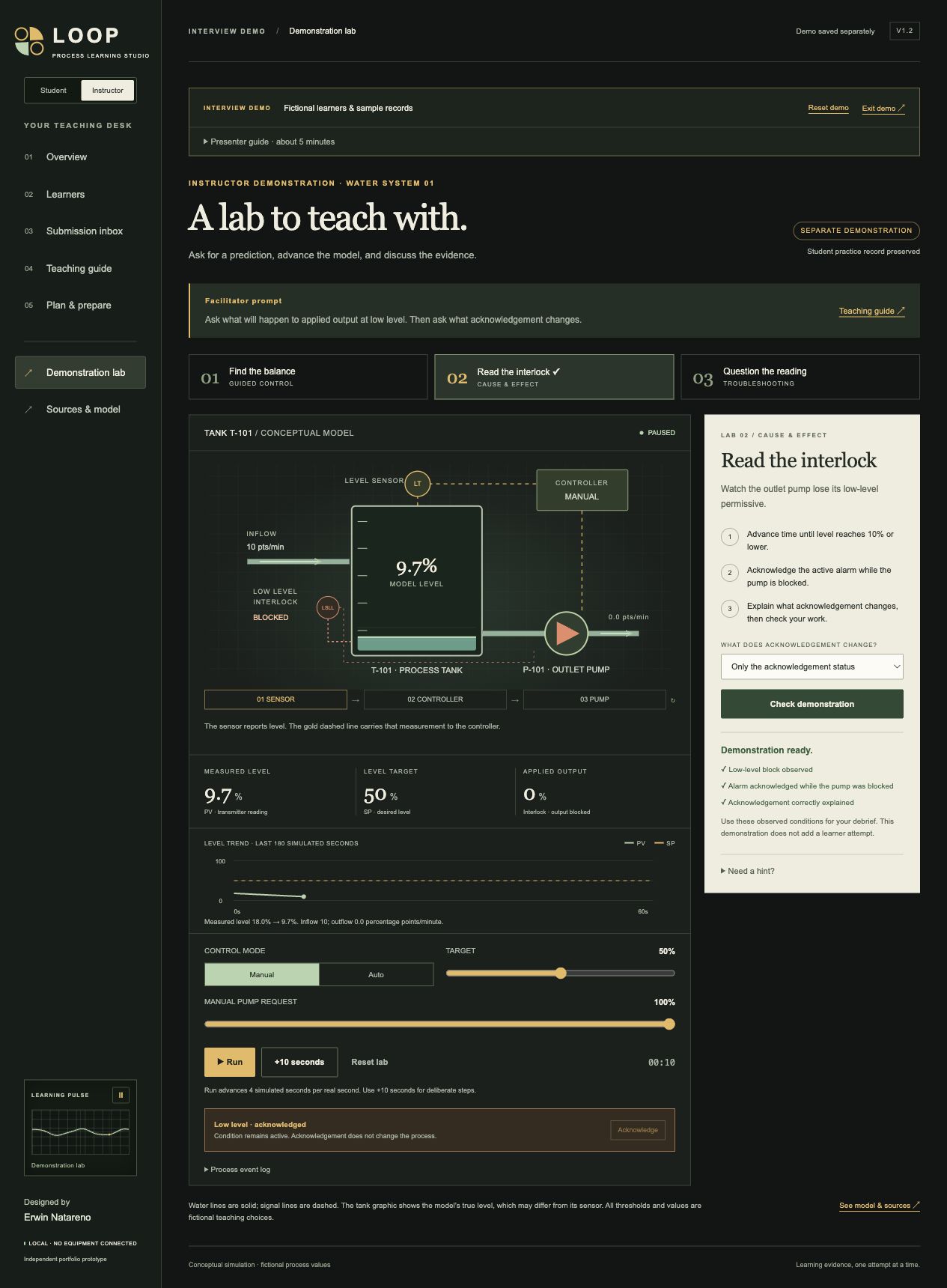
A small process with something to explain.
Explore a conceptual tank, feedback control, alarms and interlocks. Guided tasks connect changes in the process to the learner’s reasoning, with opportunities to retry and reflect.
The design problem
Knowing a definition is different from explaining what a system will do. I wanted a practice space where learners could connect a signal, a decision and a visible result before discussing their reasoning with an instructor.
My contribution
Learning concept, instructional structure, scenario direction, assessment and feedback design, visual direction and iterative review. AI tools assisted implementation.
What this demonstrates
Diagnostic thinking, scaffolded technical practice, facilitation support and a feedback workflow. Student and instructor records are stored locally; the prototype supports file-based submission and review rather than a shared online classroom.
Scope and sources
This independent portfolio prototype explores general process-learning concepts. It is not affiliated with Schneider Electric, a Foxboro emulator or a certification course. The app’s Sources & model section explains its references and modeling limits.